
Meet Fashfx: An AI Fashion Platform for Images, Campaigns and Videos
Turn garments, sketches, swatches and creative concepts into fashion visuals with one AI-powered content studio. Fashion teams rarely create one image for one product. A single garment may need on-model photographs, ecommerce images, advertising creatives, social posts, lookbook concepts and promotional videos.
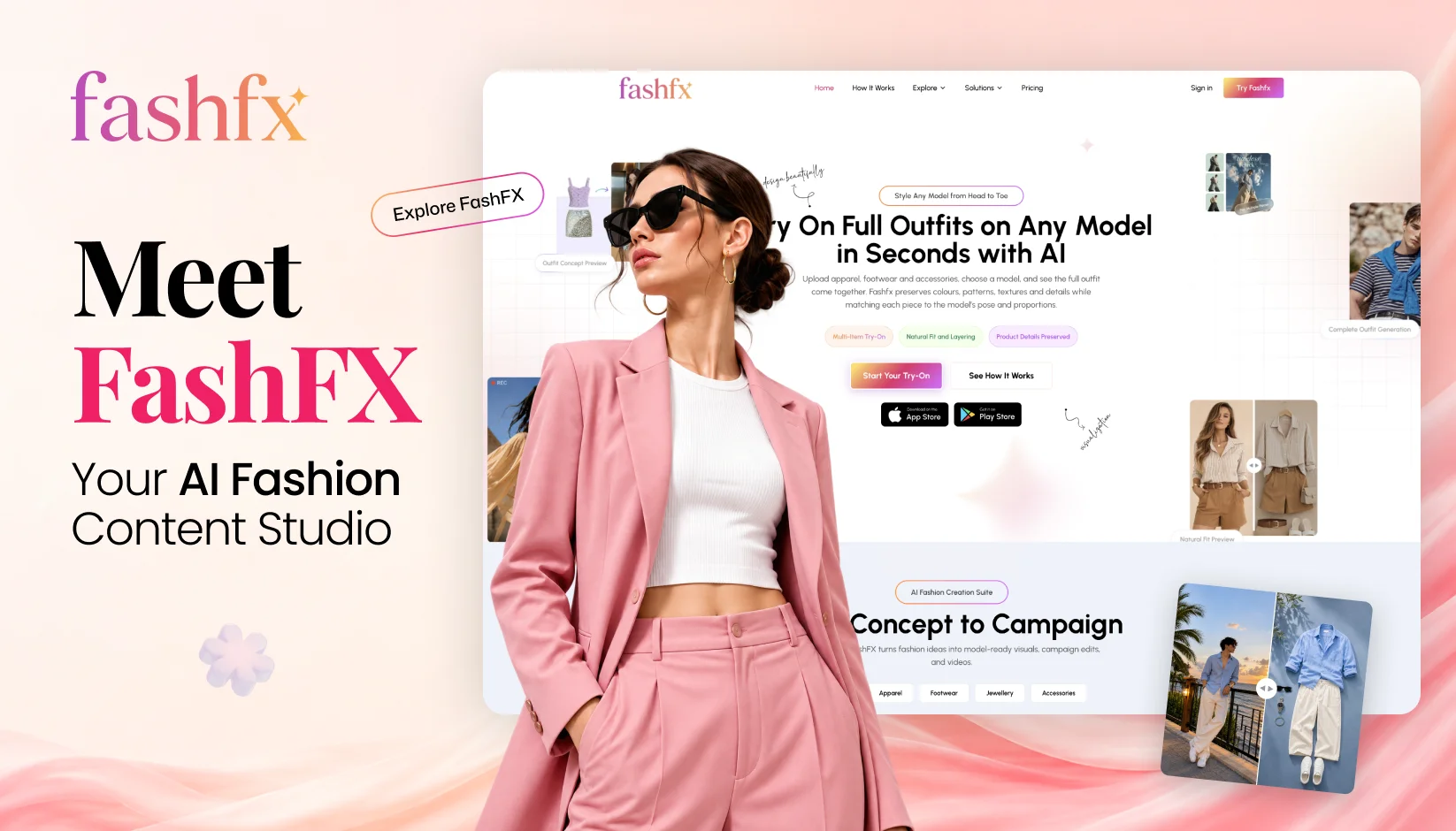
Producing every variation through separate photoshoots can require physical samples, models, photographers, locations, styling, editing and coordination across multiple teams. Even after a shoot, the content must be resized, reformatted and adapted for different markets and channels.
Fashfx brings these activities into a connected AI fashion content studio. Brands can use garments, accessories, sketches, swatches, model photographs and existing campaign assets to develop new fashion visuals.
This guide explains what Fashfx is, how its studios work, what fashion teams can create and where human creative direction remains essential.
What Is Fashfx?
Fashfx is an AI-powered fashion visualisation and content creation platform. It helps fashion teams transform product images, sketches, fabric swatches and creative references into model imagery, garment concepts, campaign visuals and videos.
Unlike a general-purpose image generator, Fashfx organises its capabilities around fashion-specific production needs. Its tools address how garments sit on models, how different products work together and how one visual can be adapted for ecommerce, advertising or social content.
According to the official Fashfx platform, users can work with apparel, footwear, jewellery and accessories. Supported items include dresses, tops, jackets, trousers, shoes, watches, bags, hats, scarves and sunglasses.
The platform follows a connected creative journey right from concept generation and garment designing to model, campaign and video generation.
This structure allows a design idea or product asset to move through several content stages without requiring teams to begin again with an unrelated workflow each time.
Why Fashion Teams Need A Connected Content Platform
Fashion content production has become a multi-asset operation. Ecommerce stores, marketplaces, social platforms, paid advertisements and product launches all require different dimensions, compositions and creative treatments.
A conventional shoot may provide the main campaign assets, but additional needs frequently arise:
- A product needs to appear on another model.
- An outfit must be presented in a different combination.
- A campaign needs new regional or seasonal variations.
- A still photograph must be adapted into a short video.
- A designer needs to present a sketch before producing a sample.
- A marketing team wants to test several creative directions.
Using disconnected tools for every requirement can fragment the production process. Files move between design, photography, marketing and post-production teams, while each group works with different references and approval standards.
An AI fashion platform can centralise parts of this workflow. It gives teams one environment for generating, comparing and refining visual concepts from available fashion assets.
This reflects a broader industry shift. McKinsey's The State of Fashion 2026 reports that more than 35 per cent of surveyed fashion and luxury executives were already using generative AI in areas including image creation, copywriting, customer service, search or product discovery. However, the report also indicates that mature deployment remains limited, underlining the need for practical workflows rather than disconnected AI experiments.
How the Fashfx AI Fashion Platform Works?
Fashfx begins with an input supplied by the user. That input might be a garment photograph, flat lay, sketch, swatch, model image or existing campaign visual.
The user then chooses the relevant studio and defines the intended result. Depending on the workflow, this could involve selecting a model, combining several products, developing a garment concept, refreshing a campaign or creating a video from a still image.
A typical process involves four stages:
1. Upload the source assets
Add clear product images, model references, sketches, swatches or existing campaign content.
2. Select the production workflow
Choose the relevant Fashfx studio based on whether the goal is try-on visualisation, product-to-model content, garment development, campaign adaptation or video creation.
3. Generate and compare options
Produce visual alternatives and assess which output best reflects the intended garment, styling and creative direction.
4. Review before publishing
Verify product details, proportions, material appearance, branding and overall visual quality against the original references.
Generative AI interprets the relationships between the input images and instructions to synthesise a new result. Because the output is generated rather than manually composited pixel by pixel, every result requires human inspection.
Read More: AI Fashion Video Generation: Turning Static Model Shots into Campaign Videos
Explore the Fashfx Studios
The Fashfx studios organise AI fashion content creation around specific production tasks.
1. AI Virtual Try-On
AI Virtual Try-On allows users to visualise clothing, footwear, jewellery and accessories on selected models. Several fashion items can be combined to create a complete styled look.
The tool considers the model’s pose and proportions when positioning uploaded products. This makes it useful for:
- Exploring outfit combinations
- Presenting products in an on-model context
- Testing styling directions
- Creating early ecommerce concepts
- Visualising accessories with apparel
Virtual try-on is a visual representation, not a technical fit assessment. It cannot confirm how a garment will feel, move or fit every customer in real life.
Ready to style your products on a model? Explore AI Virtual Try-On with Fashfx.
2. Product-to-Model Visualization
Product-to-model workflows turn isolated garment or accessory images into on-model fashion visuals. Instead of showing an item only as a flat lay or cut-out, teams can explore how it might appear within a styled composition.
This can support catalogue planning, ecommerce presentation and campaign ideation. It is particularly useful when a brand has clear product photography but needs additional contextual visuals.
Product accuracy remains the main review criterion. Teams should compare the generated result with the original item, checking its color, pattern, neckline, hem, closures and proportions.
3. Sketch-to-Garment Creation
Design ideas often begin as hand-drawn sketches, digital illustrations or flat technical drawings. Fashfx can use these references to generate a more developed garment visual.
This workflow can help designers:
- Communicate an early concept
- Compare visual directions
- Explore colour and material ideas
- Prepare internal presentations
- Discuss a collection before sampling
The result should be treated as a concept visual. It does not replace a technical pack, pattern, physical sample or manufacturing assessment.
Read More: How Designers Can Turn Concepts into Realistic Clothing Visuals?
4. Swatch-to-Collection Exploration
Fabric swatches contain information about colour, pattern and surface appearance, but they do not always communicate how a complete garment or collection might look.
Fashfx can use swatches alongside sketches and fashion references to support garment and collection exploration. Designers can use the resulting visuals to discuss how a material direction could translate into different products.
AI may not reproduce the exact weight, drape or physical behaviour of a fabric. Those qualities must still be evaluated through material testing and sampling.
5. AI Model Swap and Pose Adaptation
Model and pose adaptation allow teams to refresh existing fashion assets without rebuilding every part of the composition. A campaign image can be explored with another model or adjusted pose while retaining the intended product and visual direction.
Potential applications include:
- Exploring model representation
- Reviewing alternative poses
- Refreshing an existing campaign direction
- Adapting creative concepts for new audiences
- Developing additional catalogue options
Recognizable individuals must not be reproduced or modified without appropriate permission. Teams should also check that the garment has not changed during the transformation.
6. AI Campaign Visual Generation
A product image can become the starting point for several campaign concepts. Teams can experiment with backgrounds, compositions, styling treatments and creative moods before selecting a final direction.
This gives marketers and creative agencies a faster way to compare ideas during pre-production. It can also help stakeholders respond to something visual rather than relying entirely on written mood descriptions.
AI campaign generation works best with a defined brief. The brief should specify what must remain fixed, what may change, where the content will appear and how closely it must follow the brand’s established visual language.
7. AI Fashion Video Generation
Fashfx can transform still fashion images into short videos for product pages, advertisements, reels and campaign content. Its Google Play listing documents use cases including fashion videos, social content, product-launch visuals and advertising creatives.
Image-to-video generation can introduce camera motion, model movement or fabric movement into an existing visual. It can help teams explore motion content without beginning every concept with a complete video shoot.
Generated movement should be inspected frame by frame. Garment details, hands, facial features and fabric behaviour can become inconsistent as the image changes over time.
Turn a fashion image into motion. Explore video creation through the Fashfx AI fashion platform.
What Can You Create with Fashfx?
The available studios support multiple fashion content formats, including:
- On-model product images
- Virtual try-on visuals
- Styled outfit combinations
- Ecommerce product imagery
- Fashion catalogue concepts
- Lookbook visuals
- Sketch-based garment concepts
- Swatch-based collection ideas
- Model and pose variations
- Campaign creative directions
- Social media images
- Advertising concepts
- Product-launch visuals
- Short fashion videos and reels
Not every generated asset will be suitable for immediate commercial publication. Some outputs may work best for ideation, while others may be refined and approved for customer-facing use.
The appropriate use depends on the source quality, generated result, brand standards and level of product accuracy required.
Who Can Use Fashfx?
Fashion Brands
Brands can develop supporting visuals for product launches, ecommerce pages, campaigns and social channels. They can also explore creative variations before committing resources to a complete production direction.
Fashion Designers
Designers can translate sketches and swatches into visual garment concepts. This helps communicate ideas during collection development, internal reviews and buyer discussions.
Ecommerce Teams
Ecommerce teams can explore on-model imagery, outfit combinations and supporting product content. The final visuals must accurately represent what the customer will receive.
Marketing Teams
Marketers can adapt fashion assets for advertisements, social posts and product launches. Multiple creative routes can be reviewed before the strongest concept is selected.
Creative Agencies
Agencies can prepare visual directions, campaign options and presentation materials for fashion clients. Fashfx can support ideation and production, while the agency retains control of strategy and art direction.
Content Creators and Entrepreneurs
Independent creators and emerging fashion businesses can build visual concepts from the products and creative assets available to them. This provides additional content options when permanent production resources are limited.
How Fashfx Fits into Fashion Content Workflows
Fashfx does not need to replace an existing creative process. It can be introduced at selected stages where visual exploration or content variation is most valuable.
| Workflow stage | Input | Possible Fashfx output |
|---|---|---|
| Concept development | Sketch or visual reference | Garment concept |
| Collection planning | Swatch and design input | Collection visual |
| Product presentation | Flat lay or product image | On-model image |
| Styling | Multiple fashion products | Complete outfit |
| Campaign planning | Product or model image | Campaign variations |
| Content adaptation | Existing fashion asset | New model, pose or layout |
| Motion content | Still model image | Short fashion video |
A brand might use Fashfx for early campaign ideation while retaining professional photography for its principal launch. Another may use it to develop supplementary social variations from approved product assets. The right balance depends on the brand, product and intended channel.
Benefits of Using an AI Fashion Content Studio
More Room for Creative Exploration
Teams can compare several models, styles, compositions and campaign directions before selecting an approach. This makes visual experimentation more accessible during early creative discussions.
Connected Production Activities
Garment concepts, model visuals, campaign content and videos can be explored within one fashion-focused environment instead of being treated as unrelated tasks.
Better Use of Existing Assets
Product photographs, sketches, swatches and campaign images can become inputs for new creative work. Teams can build upon assets they already have rather than treating each requirement as a blank project.
Earlier Visual Communication
Designers and marketers can present visual concepts before every physical or production element is complete. Stakeholders can then review the direction and identify necessary changes earlier.
Adaptable Content for Different Channels
One product may need different treatments for ecommerce, advertising and social media. AI-generated variations can support this adaptation when each output is appropriately reviewed.
Responsible Use and Quality Control
Fashion AI should be governed by clear creative, legal and quality standards.
Verify Every Product Detail
Compare generated visuals with the approved product. Review colour, pattern, material, silhouette, proportions, stitching, fastenings and branding.
Use Authorized Assets
Confirm the right to use all uploaded products, artwork, models, photographs, logos and campaign material. Obtain appropriate consent before reproducing or modifying a recognizable person.
Avoid Misleading Customers
Customer-facing images should not present product features that the physical item does not have. Clearly distinguish concept visuals from purchasable products where confusion could arise.
Keep People in the Approval Process
Designers, art directors, ecommerce managers and brand teams should decide what is generated, what is revised and what may be published. AI output should not bypass established approval responsibilities.
How to Get Started with Fashfx
Begin with one clearly defined content requirement rather than trying to automate an entire campaign immediately.
- Select one garment, accessory, sketch or swatch.
- Decide whether you need a model visual, design concept, campaign image or video.
- Prepare clear, authorised source files.
- Choose the relevant Fashfx studio.
- Generate several options.
- Compare each result with the original product or concept.
- Refine the most suitable visual.
- Complete creative, product and legal reviews before publishing.
A limited first project helps the team establish input standards, review criteria and realistic expectations for future AI fashion content creation.
Build A Connected Fashion Content Workflow with Fashfx
Fashfx brings design visualisation, model imagery, product styling, campaign development and video creation into one AI fashion content studio. Its value is not simply the number of images it can generate, but the ability to connect several stages of fashion content production.
The strongest results still depend on clear source assets, thoughtful creative direction and careful human review.
Explore how Fashfx can help turn product images, sketches, swatches and creative concepts into fashion photographs, campaign visuals and videos.
Start Creating with FashFX
Turn early fashion ideas into realistic garment visuals ready for review and collection planning.
Get Started
Frequently
Asked Questions
Have questions about Meet Fashfx: An AI Fashion Platform for Images, Campaigns and Videos? We answer them here
Fashfx is an AI fashion platform for creating and adapting fashion visuals. It allows users to work with garments, accessories, sketches, swatches, models and campaign assets. Its specialized studios support virtual try-on, product-to-model imagery, garment visualization, campaign development and fashion video creation within a connected production environment.

Ready to Redesign Your Content Pipeline?
Use FashFX to visualize your products and create photorealistic models in seconds.
Try FashFX Now